Avinashilingam Institute for Home Science and Higher Education for Women has officially declared the undergraduate and postgraduate semester examination results for April/May 2026. Students who appeared for regular and arrear examinations can now access their digital mark sheets online. The evaluation process concluded ahead of its initial mid-summer estimation, thanks to updated feedback from the campus administration, making scores live for thousands of enrolled students.
Results Released Across Disciplines
The university has rolled out the results simultaneously across multiple disciplines. This ensures that final-year students face no delays in pursuing higher education or career placements. Academic departments have uploaded verified scorecards to the centralized e-campus portal, eliminating the need for offline or physical collection during the initial release phase.
Direct Portal Access
Students must verify their credentials exclusively on the authorized university infrastructure. Results can be processed instantly by visiting the Avinashilingam University Results Main Page. For direct score presentation and entering registration details, students can navigate straight to the secure Avinashilingam E-Campus Examination Portal.

Steps to Check Avinuty Semester Results Online
To view and secure a digital copy of your 2026 statement of marks, follow these operational steps:
- Open your web browser and visit the official Avinashilingam University Website.
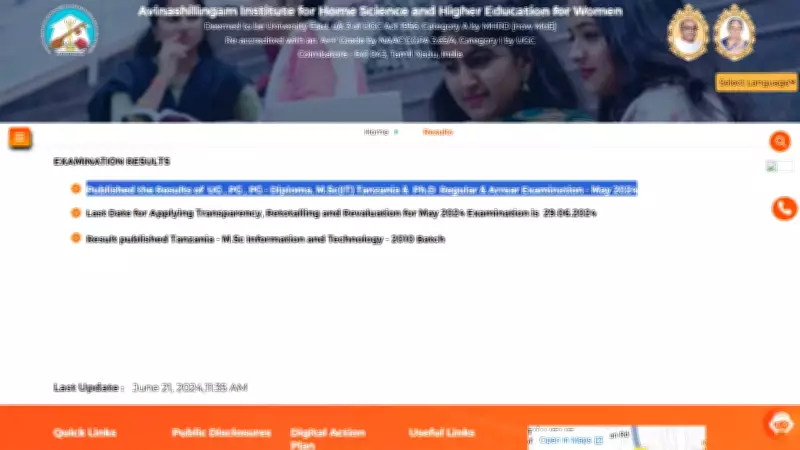
- Click on the Examination Results hyperlink located on the top panel or inside the flash news dashboard.
- Choose the specific link categorized for UG, PG, PG Diploma, and Ph.D. Regular/Arrear Examinations.
- Enter your unique Permanent Register Number or Roll Number into the entry box.
- Click Submit to process your data and view your marksheet on the screen.
- Download the PDF and take a clear printout for interim academic documentation.
Post-Result Formalities and Revaluation
The university advises all candidates to carefully verify personal details on the digital card, including the spelling of names, roll numbers, and subject codes. If any discrepancies emerge, students must immediately approach their respective Head of Department or the Dean's office. For those seeking script transparency, re-totalling, or official revaluation, the online application window opens tomorrow on the main website and remains active for exactly ten calendar days from this announcement.