The Indian Institute of Technology (IIT) Roorkee has released the provisional answer key for the Joint Entrance Examination (JEE) Advanced 2026. Candidates who appeared for the exam can now access and download the answer key from the official website, jeeadv.ac.in.
How to Download the Provisional Answer Key
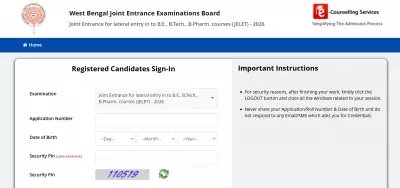
To view the answer key, candidates must log in using their registration number and date of birth. Follow these steps:
- Visit the official JEE Advanced website at jeeadv.ac.in.
- Click on the 'Provisional Answer Key for JEE Advanced 2026' link on the homepage.
- Enter your registration number, date of birth, and other required credentials.
- Select Paper 1 or Paper 2 as needed.
- Choose your preferred language, if available.
- Open and download the answer key PDF for future reference.
Objection Process
Candidates who are not satisfied with any answer in the provisional key can raise objections until May 26, 2026, at 5 pm. The process is as follows:

- Log in to the candidate portal on the official JEE Advanced website.
- Click on the answer key challenge or objection option.
- Select the relevant paper and question ID.
- Upload a PDF containing proper solution steps and supporting academic references.
- Pay the objection fee online.
- Review all details and submit the objection form.
- Save the confirmation receipt for future use.
Objection Fee Details
Candidates must pay Rs 500 per question challenged via credit card, debit card, or net banking. If the objection is accepted by the IIT expert committee, the full fee will be refunded. However, if the challenge is rejected, the fee is non-refundable.
Important Dates
Earlier, IIT Roorkee released the response sheets on May 21, and the question papers for both Paper 1 and Paper 2 were published on May 17. After reviewing all objections, the final answer key along with the JEE Advanced 2026 result will be released on June 1, 2026.