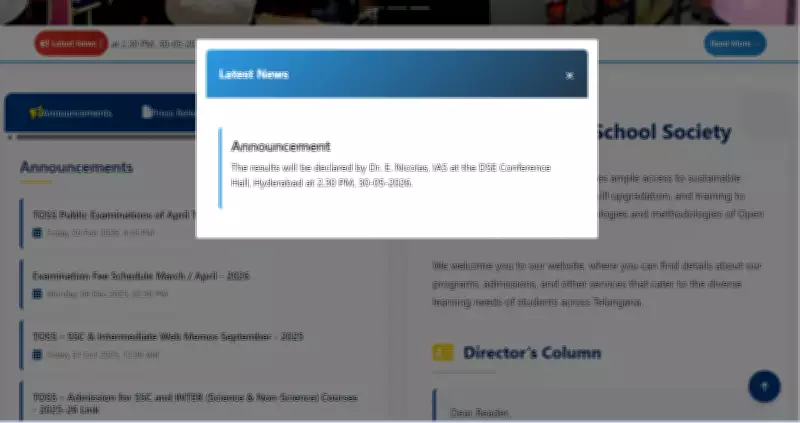
The Telangana Open School Society (TOSS) is set to declare the results for the SSC (Class 10) and Intermediate (Class 12) Public examinations today, May 30, 2026. Candidates who appeared for these exams can check their scores online shortly after the official announcement on the society's website, telanganaopenschool.org.
Result Declaration Schedule
According to the official schedule, the TOSS SSC and Intermediate results will be formally released at 2:30 PM at the Directorate of School Education (DSE) Conference Hall in Hyderabad. The results will be declared by Dr. E. Nicolas, IAS. Once the announcement is made, the result link is expected to be activated on the official website, allowing students to access their marks online.
How to Check Results
Students can check their SSC and Intermediate results through the official TOSS website after the declaration. To view the scorecard, candidates will be required to enter their hall ticket details on the result portal. The online marks memo will be available for download immediately after the results are published.

Details on the Marks Memo
The online marks memo will provide a detailed overview of a student's performance in the examination. It will include:
- Subject-wise marks
- Total marks obtained
- Grades awarded
- Qualifying status
About Telangana Open School Society
The Telangana Open School Society conducts SSC and Intermediate examinations for students pursuing education through the open schooling system. The programme provides educational opportunities to learners who are unable to follow the conventional school route due to various personal, social, or professional reasons.
Steps to Download TOSS SSC and Inter Results 2026
Candidates can follow the steps below to download the Telangana TOSS SSC and Inter results 2026:
- Go to the official TOSS website, telanganaopenschool.org.
- On the homepage, click on the 'TOSS SSC Results 2026' or 'TOSS Intermediate Results 2026' link available.
- Enter your hall ticket number in the required field.
- Submit the details to view your result.
- The marks memo will appear on the screen.
- Check the details, including subject-wise marks, grades, and qualifying status.
- Download the marks memo and save it for future reference.
- Take a printout of the result for use during admissions and other academic processes.
Students are advised to carefully verify all details mentioned in the marks memo after downloading it. For any discrepancies, they should contact the TOSS authorities immediately.