For years, the built-in Windows Snipping Tool has been a go-to for quick screen captures. However, many users, especially professionals and content creators, often need more advanced functionality. A recent exploration by tech journalist Amit Rahi, dated 23 December 2025, has highlighted four exceptional open-source alternatives that significantly outshine the native Windows offering.
Why Look Beyond the Built-in Tool?
While Microsoft has upgraded its Snipping Tool to include features like screen recording, it still lacks capabilities that many find essential. Users frequently require robust annotation options, the ability to take scrolling captures of entire web pages, and seamless uploads to various cloud storage services. This gap in functionality led to a search for free, open-source solutions that pack a more powerful punch.
The Top Four Contenders for Superior Screen Captures
The investigation revealed four standout applications, each offering a unique set of features that cater to different user needs, all while being completely free on Windows.

1. ShareX: The Feature-Packed Powerhouse
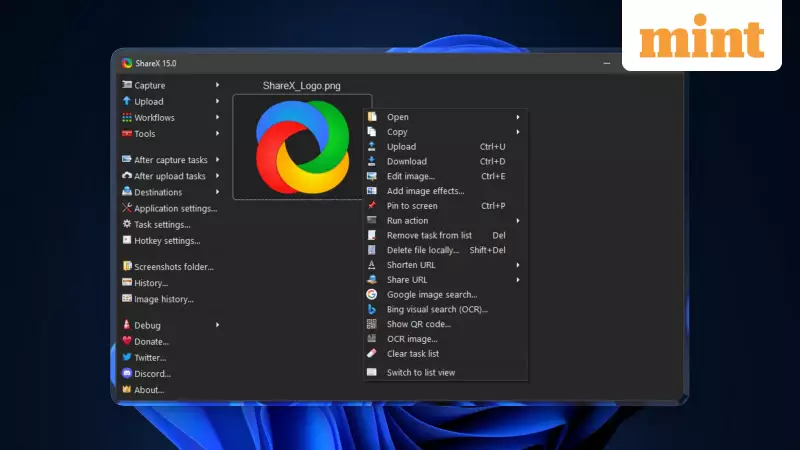
ShareX is often the first recommendation for a comprehensive screenshot tool on Windows. It is remarkably feature-rich, eliminating the need for any additional software. Beyond standard captures, it allows users to take custom region shots, scrolling screenshots, screen recordings, and even create GIFs directly from any screen area. A major advantage is its integrated uploader, which supports sending images to over 80 different online services and cloud storage platforms.
2. Flameshot: The Annotation Specialist
For those who create tutorials or guides requiring detailed markups, Flameshot is an excellent choice. It strikes a balance, being less overwhelming than ShareX while excelling in instant annotation. Immediately after capture, users can effortlessly add arrows, text, and blur effects to highlight or obscure information. Its cross-platform compatibility, working on Linux and macOS in addition to Windows, makes it a versatile pick for users in multi-OS environments.
3. Greenshot: The Lightweight Performer
Greenshot is known for being a lightweight yet capable tool for Windows and macOS. It efficiently captures regions, specific windows, or the full screen. Its quick-editing toolbar lets users add text, shapes, and highlights directly onto the snapshot. The scrolling screenshot feature is particularly useful for students and researchers needing to capture entire web pages. Note that while free and open-source on Windows, Mac users must pay a nominal fee of $1.99 for the application.
4. Ksnip: The Minimalist Tray Utility
Ksnip offers a clean, minimalistic approach. After launch, it resides conveniently in the system tray, ready to be activated by a user-defined hotkey. It supports all standard capture types: full desktop, selection, and window. The interface for managing and editing captured screenshots is straightforward. It also includes a direct upload feature, with the added flexibility of allowing users to configure their own custom storage server for saving images.
Making the Switch to Enhanced Productivity
These four open-source tools demonstrate that there is a vibrant ecosystem of free software ready to enhance the basic screenshot experience provided by Windows. Whether you need the exhaustive toolkit of ShareX, the precise annotation of Flameshot, the simplicity of Greenshot, or the tray-based convenience of Ksnip, there is a powerful alternative available. For anyone regularly taking screenshots for work, study, or content creation, exploring these options can lead to a significant boost in efficiency and capability.