Google Chrome Introduces Vertical Tabs and Enhanced Reading Mode to Streamline Web Browsing
Google is taking significant steps to enhance the web browsing experience and boost user productivity by officially rolling out two innovative features for its Chrome browser: vertical tabs and an upgraded, immersive reading mode. According to the company, these new tools are specifically designed to help users manage cluttered screens and focus more easily on the content that truly matters, addressing common frustrations with online distractions.
Vertical Tabs in Google Chrome: A Game-Changer for Tab Management
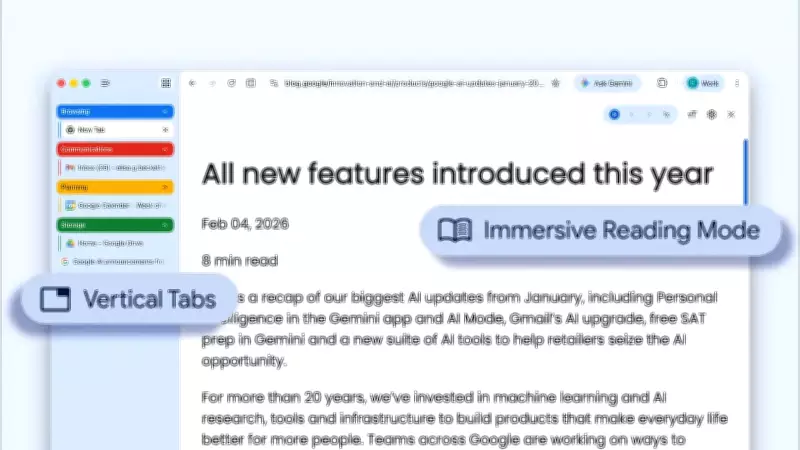
For users who frequently juggle dozens of tabs, Chrome now offers a built-in solution with vertical tabs. This feature allows users to shift their tab bar from the traditional top of the screen to the side, depending on personal preference. To activate it, simply right-click on the top of any Chrome window and select “Show Tabs Vertically.”
The primary benefit of this design is that when tabs are squished at the top of a screen, the text often disappears, making it difficult to identify open pages. By moving the tabs to the side of the browser window, users can read the full page titles of every open website clearly. Google notes that this side-layout is perfect for managing tab groups with ease and multitasking, saving valuable time by ensuring you never lose track of an important tab again. “This layout is perfect for multitasking, saving you time by making sure you never lose a tab,” Google emphasized in its announcement.

Updated ‘Reading Mode’ for an Immersive Experience
Google highlights that Reading mode has long been one of the favorite Chrome features for users who want to dive deeply into articles, and it is now better than ever thanks to a brand-new full-page interface. This feature instantly strips away visual distractions, such as ads, pop-ups, and sidebars, transforming a busy, cluttered webpage into a clean, text-focused, and immersive reading experience.
To activate Reading mode, users can right-click on any webpage and select “Open in reading mode.” This enhancement aims to provide a more focused environment for reading, free from the interruptions that often plague modern webpages.
Other Recent Google Chrome Updates
The previous major update came last month when Google brought several of Chrome’s latest AI features, including Gemini in Chrome, to users across India. These features, built on the company’s latest Gemini 3.1 model, are designed to help people access and understand information quickly and more efficiently without having to juggle between multiple tabs. As part of this expansion, Google also rolled out support for over 50 languages, including several Indic languages: Hindi, Bengali, Gujarati, Kannada, Malayalam, Marathi, Telugu, and Tamil. These features will be available first on desktop and iOS platforms, further enhancing Chrome’s accessibility and utility for a global audience.
These updates underscore Google’s ongoing commitment to improving user productivity and browsing efficiency through innovative tools and features in Chrome.