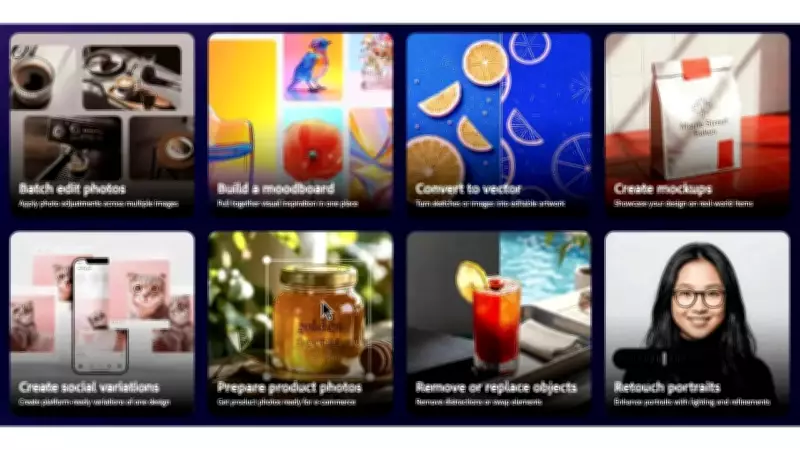
Adobe has launched the public beta of its Firefly AI Assistant, now available on Creative Cloud Pro or paid Firefly plans (Pro, Pro Plus and Premium). Firefly AI is an all-in-one creative AI studio designed to handle a wide range of prompts and workflows.
Key Capabilities of Firefly AI Assistant
With Firefly AI Assistant, users can describe what they want to create in their own words. Whether it is turning a product shot into a full set of social assets, building a mood board from a brief, or refining a set of headshots, the assistant brings the idea to life by orchestrating and executing multi-step workflows across Creative Cloud apps. Instead of navigating tools or jumping between apps, users can direct the outcome while the assistant handles the execution, using the right tools at the right time.
What You Can Do with the Firefly AI Assistant Public Beta
- Describe what you want to create in a single, intuitive chat interface. Simply explain the outcome you want in your own words, and the assistant orchestrates and executes multi-step workflows across Creative Cloud apps, including Photoshop, Lightroom, Premiere, Firefly and more.
- Tap into Adobe's pro-grade tools. As the beta rolls out, the assistant will be capable of drawing from 60 powerful, pro-grade tools across Adobe's creative suite, such as Auto Tone, Generative Fill, Remove Background, Vectorize, Presets, and more. Additional tools and capabilities will continue to roll out.
- Get started quickly with Creative Skills. These pre-built creative workflows are shaped by feedback from the creative community and cover most-used tasks such as batch editing photos, building mood boards, retouching portraits, creating social variations and designing product mockups, with more on the way.
- Create and edit content across asset types. Work across photos, videos, designs and more, with workflows that move seamlessly from initial concept to final output.
- Stay in control throughout the creative process. Users see the steps the assistant takes, and it asks questions along the way to stay aligned with the creative vision. Users can refine, redirect or take over at any point.
- Save and access your work across Adobe apps. Save what you create with the assistant directly to Creative Cloud storage, so assets are ready whenever you open Photoshop, Illustrator, Premiere, or any other Adobe app.
New Features in Adobe Firefly
In addition to the public beta of Firefly AI Assistant, Adobe has introduced new capabilities to the Firefly app. Last week, the company announced that OpenAI's GPT Image 2 is now available in Firefly, joining a growing roster of top creative AI models including Google's Nano Banana 2 and Veo 3.1, Runway's Gen-4.5, ElevenLabs' Multilingual v2, Kling 3.0 and many more. Adobe has also added new image editing capabilities like Precision Flow and AI Markup.