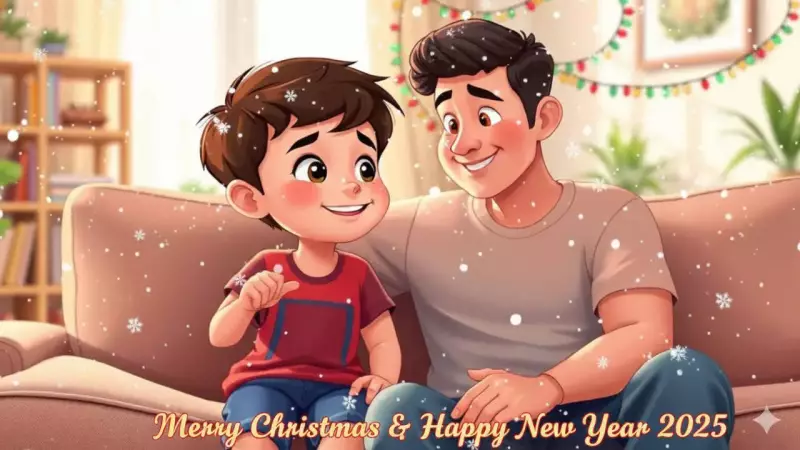
The rise of AI-powered image and video creation tools has sparked a new social media trend. People are no longer just sharing standard photos; they are using artificial intelligence to generate stylised, personalised content for special occasions. With Christmas here and New Year 2025 just a week away, this technology offers a novel way to create unique holiday greetings from your own family portraits.
How to Craft Your AI-Powered Holiday Card
The process of transforming a simple photo into a festive animated greeting is straightforward, thanks to advanced AI models like Google's "Nano Banana" and Veo for images and OpenAI's Sora for video generation. The key is to start with a clear, high-quality photo where faces are easily visible. This could be a family portrait, a picture with friends, or any subject you wish to feature in your custom digital art.
Step-by-Step Guide to AI Greeting Creation
The first step is selecting and uploading your chosen photo to an AI chatbot platform that supports image-to-image generation, such as ChatGPT's image tool or Google's Nano Banana. Here, you can apply various artistic styles using descriptive prompts. For a holiday theme, you could request a "Ghibli-style winter scene," a "3D Pixar Christmas effect," or a "Classic Christmas Cartoon" look. The AI will add festive elements like red clothes, Santa hats, or twinkling lights based on your instructions. You can refine the output by editing your prompt or adding more descriptive details.

To bring your newly styled image to life, you can proceed to the animation stage. AI video models can convert a static picture into a short video clip. For the best results, your prompt must be highly detailed. You should describe the desired scene, specific effects, colours, clothing details, and overall mood.
Effective Prompts for AI Video Generation
Here are five detailed prompts you can adapt to create captivating holiday videos:
- Transform this photo into a magical Christmas scene with gently falling snow, twinkling lights in the background, and a warm golden glow. Add subtle animations like snow settling on shoulders and hair, with festive bokeh effects. Text overlay: 'Merry Christmas & Happy New Year 2025'.
- Create a cozy winter wonderland video from this photo. Animate soft snowfall, add a crackling fireplace glow in the background, and include floating Christmas ornaments. Make the person's eyes sparkle with holiday magic. Duration: 10-15 seconds.
- Create a sophisticated New Year video with this photo featuring gold and silver confetti falling, champagne bubbles rising, and a countdown timer animation. Add elegant particle effects and a midnight sky background transition.
For optimal outcomes, experts recommend specifying the video duration, describing the lighting, defining the type of motion (like slow-motion or parallax), indicating text placement, and setting the overall mood. This level of detail guides the AI to produce a more convincing and personalised animated greeting, perfect for sharing during the festive season.