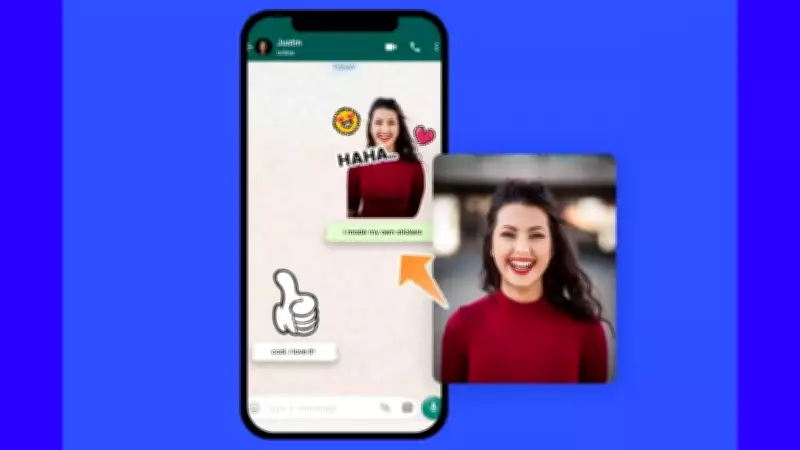
WhatsApp Revolutionizes Communication with In-App Sticker Creation Tools
Stickers have become an integral part of digital conversations on WhatsApp, serving as quick reaction tools, humorous expressions, and visual substitutes for typed messages. The platform has now elevated this experience by introducing comprehensive in-app sticker creation capabilities, eliminating the need for external applications entirely.
Comprehensive Sticker Creation Directly Within WhatsApp
WhatsApp's latest feature enables users to transform personal photos into expressive stickers, generate AI-powered stickers through text descriptions, organize creations into themed packs, and share entire collections with contacts. This integrated approach streamlines the sticker-making process while maintaining complete functionality within WhatsApp's secure environment.
The interface remains consistent across both Android and iOS platforms, with only minor visual variations between operating systems. All sticker-related operations now occur seamlessly within the application itself.

Transforming Personal Photos into Custom Stickers
Any image stored on your mobile device can be converted into a personalized WhatsApp sticker, perfect for commemorating special moments, creating inside jokes, or developing unique reaction images for repeated use in conversations.
Step-by-Step Photo-to-Sticker Conversion:
- Access the sticker section within any chat interface
- Select the Create option or tap the pencil icon
- Choose a photo from your device gallery or capture a new image using your camera
- From the preview screen, utilize multiple customization options:
- Add sticker emojis for enhanced expression
- Incorporate text using the T icon
- Draw directly on stickers with the pencil tool
- Cancel creations using the X icon
- Finalize by tapping the forward arrow to send your customized sticker
AI-Powered Sticker Generation Through Text Prompts
For situations where specific visual concepts lack corresponding photos, WhatsApp's AI sticker feature creates customized stickers based on textual descriptions. This innovative tool bridges the gap between imagination and visual communication.
AI Sticker Creation Process:
- Open the sticker creation interface
- Select Generate with AI from available options
- Enter a concise text description of your desired sticker
- Tap Generate to view multiple AI-created options
- Select your preferred design and save it to your collection
Newly generated AI stickers automatically integrate with your existing custom sticker library for immediate use.
Organizing Stickers into Themed Collections
Sticker packs provide organizational structure by grouping related stickers together, eliminating the need to scroll through individual creations during conversations.
Creating New Sticker Packs:
- Navigate to the sticker creation section
- Select multiple custom stickers for inclusion
- Access the three-dot menu for additional options
- Choose Add to sticker pack followed by New sticker pack
- Assign a descriptive name to your collection and save
Newly created packs immediately appear in your sticker tray for convenient access.
Expanding Existing Sticker Collections
Sticker packs remain dynamic entities that can be updated with new creations at any time, ensuring collections evolve alongside your communication needs.
Adding Stickers to Existing Packs:
- Select the sticker you wish to add from the creation interface
- Access the three-dot menu options
- Choose Add to existing sticker pack
- Select your target collection from available packs
- Confirm changes to immediately integrate the new sticker
Understanding WhatsApp's Sticker Creation Framework
WhatsApp maintains specific parameters for sticker creation to ensure consistency and security across its platform. The application does not support direct uploads of sticker files from device storage, requiring all creations to originate through built-in tools.
Key operational principles include:

- Sticker creation limited to gallery photos or AI generation
- Automatic saving of completed stickers
- Post-creation organization into packs
- No requirement for external sticker applications
Sharing Sticker Collections with Contacts
Complete sticker packs can be shared with other WhatsApp users, allowing recipients to add entire collections to their personal sticker libraries with a single action.
Pack Sharing Procedure:
- Locate your desired sticker pack in the collections section
- Tap the three-dot menu adjacent to the pack name
- Select Share sticker pack from available options
- Choose your target chat and send the collection
- Recipients can add the entire pack through a single tap
Essential Sticker Pack Regulations
WhatsApp implements specific guidelines to maintain consistency across devices and user experiences:
- Minimum requirement of 3 stickers per pack
- Maximum limit of 30 stickers per collection
- Exclusive inclusion of user-created stickers in custom packs
- No mixing between default WhatsApp stickers and custom creations
This comprehensive sticker creation system represents WhatsApp's commitment to enhancing user expression while maintaining platform integrity and security standards.