

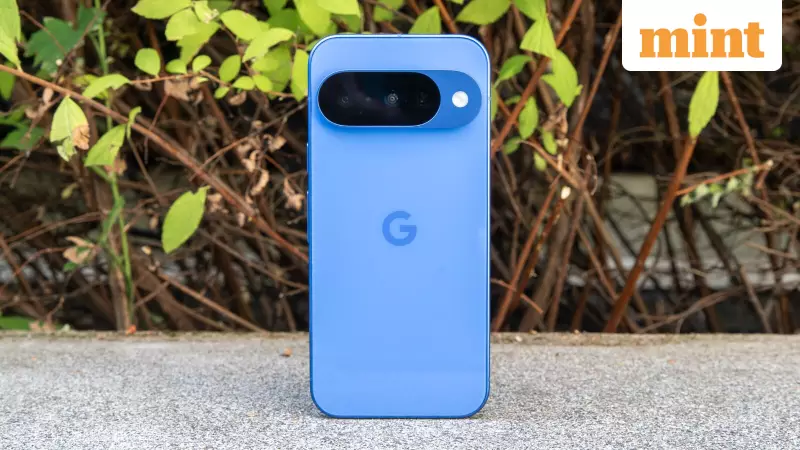
For Google Pixel users in India, a significant software update is now arriving that goes beyond routine security patches. Starting December 2, Google initiated the phased rollout of the Android 16 QPR2 update. This mid-cycle release introduces a host of refinements that directly impact the daily user experience, from the home screen to security features.
Visible Enhancements: A Fresh Look and Feel
The most noticeable improvements in Android 16 QPR2 are found on the surfaces you interact with most. The home screen benefits from new app icon options that create a more uniform and consistent grid layout, moving away from the previous mix of mismatched shapes and older designs.
More importantly, the lock screen has received a functional upgrade. Users can now customise what information is displayed before unlocking the phone. You can choose to see your next calendar appointment, current weather conditions, or music playback controls. This transforms the lock screen from a static clock into a genuinely useful dashboard.

Additionally, Google has tightened the behaviour of the dark theme, ensuring more applications adhere to it correctly. This provides a more consistent and eye-friendly experience during late-night browsing sessions.
Smarter Notifications and Stronger Security
Google has placed a strong emphasis on decluttering and organising notifications, a common pain point for many users. With Android 16 QPR2, the system can now intelligently group low-priority alerts. It keeps crucial messages and important app notifications at the top of the list and can even display short summaries. This means you no longer need to open every app individually to catch up on what you missed, making the pull-down notification shade far more manageable.
On the security front, the update integrates scam-focused tools with the Circle to Search function. This feature can now flag suspicious content directly on your screen, offering an extra layer of protection when you encounter unknown links or messages related to financial transactions. The handling of one-time passwords (OTPs) has also been improved, a critical update for the Indian digital landscape where OTPs are essential for sign-ins and payments across countless services.
Under-the-Hood Refinements and Wide Availability
Beyond the flashy changes, numerous subtle tweaks enhance day-to-day usability. Chrome tab pinning is now more reliable, preventing your frequently used sites from accidentally closing. Managing split-screen layouts for multitasking with two apps side-by-side has been simplified. Accessibility receives a boost with clearer captions and better hearing-aid support, making a significant difference for users who rely on these features.
The update also includes substantial background optimisations. Fixes related to battery performance, charging, graphics, and general system stability are part of the package, alongside the December 2024 security patch.
The rollout is extensive, covering a wide range of Pixel devices. Eligible models include every Pixel from the Pixel 6 series up to the latest Pixel 10 family. This encompasses the Pixel 6, 6 Pro, 6a; Pixel 7, 7 Pro, 7a; Pixel 8, 8 Pro, 8a; Pixel 9, 9 Pro, 9 Pro XL, 9 Pro Fold, 9a; Pixel 10, 10 Pro, 10 Pro XL, and 10 Pro Fold. The Pixel Tablet and the original Pixel Fold are also included in this update cycle.
How to Install the Android 16 QPR2 Update
If you own an eligible Pixel device, you can manually check for the update by following these steps:
- Open the Settings app on your phone.
- Navigate to System.
- Tap on Software updates.
- Select System update.
- Finally, tap Check for update.
If the update is available for your device, you will see the option to download and install it. The file size is approximately 744MB on a device like the Pixel 10 Pro, so it is advisable to connect to a Wi-Fi network and ensure your phone is plugged in or has sufficient battery charge before proceeding. If the update isn't visible immediately, be patient as Google releases it in stages over the coming days.

In essence, Android 16 QPR2 is not a revolutionary overhaul but a thoughtful collection of enhancements that polish the Pixel experience. It improves the elements you use constantly—the lock screen, notifications, and core stability—making your phone incrementally better and easier to use every day.





