

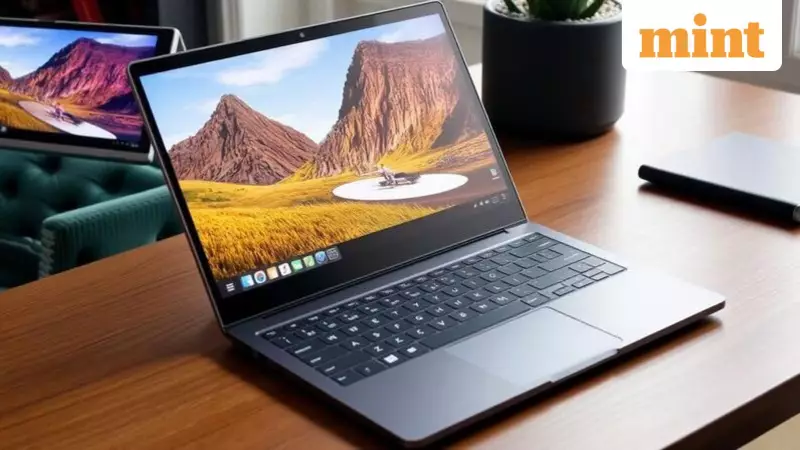
Revolutionizing Graphic Design: The Power of Touchscreen Laptops
Graphic design demands tools that perfectly balance creativity, accuracy, and efficiency. In today's digital landscape, touchscreen laptops have emerged as game-changing devices for designers, merging traditional computing power with intuitive, hands-on interaction. These innovative machines allow professionals to draw, edit, and manipulate visuals directly on the screen, significantly reducing dependence on external peripherals while enhancing workflow fluidity.
With remarkable advancements in display technology, contemporary touchscreen laptops deliver sharp visuals and consistent color reproduction that are absolutely essential for professional design work. The integration of stylus support, powerful processors, and rapid storage solutions makes modern laptops capable of handling demanding design software like Adobe Creative Suite, CorelDRAW, and Affinity Designer with remarkable ease.
How Touchscreen Technology Transforms Design Workflows
A touch-enabled display fundamentally improves precision in graphic design by allowing designers to interact directly with their creative work. This direct interaction bridges the gap between hand movement and on-screen action, resulting in superior accuracy during sketching, masking, retouching, and layout adjustments. When combined with advanced stylus support and pressure sensitivity, touch input offers finer control than traditional mouse input, particularly for illustration, photo editing, and detailed visual composition.

Color accuracy becomes especially critical on touchscreen laptops used for design work. Graphic professionals rely on precise color representation to ensure consistency across digital and print outputs. A high-quality touchscreen laptop with extensive color gamut coverage ensures colors appear closer to real-world results, preventing costly rework and client dissatisfaction that can arise from inaccurate color reproduction.
Comprehensive Review: Top Touchscreen Laptops for Indian Designers
1. HP OmniBook 5 Flip (Intel Core i5-1334U)
The HP OmniBook 5 Flip represents a refined 2-in-1 laptop engineered for flexible work, creative projects, and everyday productivity. Powered by a 13th Generation Intel Core i5-1334U processor and paired with 16GB LPDDR5 RAM, this device delivers responsive performance for multitasking, presentations, and content creation. The 14-inch 2K WUXGA touchscreen offers exceptional visual clarity with 300 nits brightness and an anti-glare finish, ensuring comfortable viewing during extended design sessions.
Key Specifications:
- Processor: Intel Core i5-1334U
- Memory: 16GB LPDDR5
- Storage: 512GB PCIe Gen4 SSD
- Display: 14-inch 2K WUXGA IPS touchscreen, 300 nits
Reasons to Buy:
- Sharp 2K touchscreen with excellent brightness levels
- Smooth multitasking capabilities with advanced LPDDR5 memory
- Versatile flip design supporting multiple work and presentation modes
Consideration: Integrated graphics may limit performance for heavier creative tasks requiring dedicated GPU power.
2. ASUS Vivobook 15 (Intel Core i3-1315U)
The ASUS Vivobook 15 caters to users seeking a dependable touchscreen laptop for office work, online learning, and entry-level design tasks. Featuring a 13th Generation Intel Core i3-1315U processor combined with 16GB RAM, this model ensures stable performance for browsing, document work, and video conferences. The 15.6-inch Full HD touchscreen incorporates an anti-glare coating, making it practical for prolonged screen time during design projects.
Key Specifications:
- Processor: Intel Core i3-1315U
- Memory: 16GB DDR4
- Storage: 512GB PCIe SSD
- Display: 15.6-inch Full HD touchscreen
Reasons to Buy:
- Generous 16GB RAM configuration for an i3 laptop
- Large touchscreen well-suited for design work and study
- Clean, lightweight design enhancing portability
Consideration: Basic graphics performance may not support intensive design applications.

3. HP Pavilion x360 (Intel Core i5-1335U, 1TB SSD)
The HP Pavilion x360 successfully blends performance and flexibility in a well-balanced 2-in-1 design. Equipped with a 13th Generation Intel Core i5-1335U processor and 16GB RAM, it handles multitasking, presentations, and media consumption smoothly. The substantial 1TB SSD provides generous space for work files, design assets, and personal data, while the 14-inch Full HD touchscreen supports multiple usage modes for creative professionals.
Key Specifications:
- Processor: Intel Core i5-1335U
- Memory: 16GB DDR4
- Storage: 1TB PCIe SSD
- Display: 14-inch Full HD touchscreen
Reasons to Buy:
- Large 1TB SSD accommodating heavy storage needs
- Clear video calls with 5MP camera for client meetings
- Smooth 2-in-1 functionality enhancing creative workflows
Consideration: Display brightness could be improved for outdoor or brightly lit environments.
4. HP Chromebook X360 Intel Celeron N4020
The HP Chromebook x360 serves as an excellent option for simple, cloud-based computing and everyday browsing tasks. Running Chrome OS, it offers fast boot times and a clean, distraction-free interface ideal for basic design work and online collaboration. The Intel Celeron N4020 processor handles web browsing, online classes, and document editing efficiently, while the 14-inch touchscreen supports tablet and tent modes for versatile usage scenarios.
Key Specifications:
- Processor: Intel Celeron N4020
- Memory: 4GB LPDDR4
- Storage: 64GB eMMC
- Display: 14-inch HD touchscreen
Reasons to Buy:
- Simple and fast Chrome OS experience
- Lightweight and portable design
- Touchscreen with flexible hinge mechanism
Considerations: Limited local storage and not suited for heavy multitasking or advanced design software.
5. Lenovo IdeaPad 5 2-in-1 (Intel Core i5-13420H)
The Lenovo IdeaPad 5 2-in-1 distinguishes itself with its high-performance Intel Core i5-13420H processor, making it suitable for demanding productivity and creative tasks. With 16GB LPDDR5x RAM and a fast 512GB SSD, it handles multitasking smoothly while the 14-inch WUXGA IPS touchscreen delivers clear visuals at 300 nits brightness. The 360-degree hinge supports flexible usage, and features like fingerprint reader and stylus support make it practical for mobile creative work.
Key Specifications:
- Processor: Intel Core i5-13420H
- Memory: 16GB LPDDR5x
- Storage: 512GB PCIe SSD
- Display: 14-inch WUXGA IPS touchscreen
Reasons to Buy:
- Powerful H-series processor for demanding applications
- Bright and sharp display quality
- Solid battery performance supporting mobile creativity
Consideration: Memory configuration is not upgradable post-purchase.
6. HP Pavilion x360 (Intel Core i5-1355U)
The HP Pavilion x360 with Intel Core i5-1355U focuses on smooth daily productivity in a compact convertible form factor. Paired with 16GB RAM and a 512GB SSD, it efficiently manages multitasking, office work, and streaming activities. The 14-inch Full HD IPS touchscreen provides clear visuals, while features like backlit keyboard and 5MP webcam support modern hybrid work environments for designers.
Key Specifications:
- Processor: Intel Core i5-1355U
- Memory: 16GB DDR4
- Storage: 512GB PCIe SSD
- Display: 14-inch Full HD IPS touchscreen
Reasons to Buy:
- Responsive performance for daily design tasks
- Good webcam quality for video conferences and client calls
- Compact and lightweight design enhancing mobility
Consideration: Average display brightness may require adjustment in certain lighting conditions.
Critical Factors for Choosing Your Design Laptop
Selecting the ideal touchscreen laptop for graphic design involves careful consideration of multiple technical and ergonomic factors that directly impact creative productivity and comfort.
Essential Considerations:
- Display Quality: High resolution and superior panel technology for accurate visual detailing
- Color Accuracy: Wide color gamut support ensuring consistent professional-grade color output
- Stylus Support: Pressure sensitivity and tilt detection capabilities for precise creative input
- Processor Power: Capable CPU ensuring smooth performance in design software applications
- Memory Configuration: Sufficient RAM enabling efficient multitasking with heavy design applications
- Storage Speed: Fast SSD storage reducing load times for large creative files and assets
- Screen Size: Comfortable display dimensions improving workspace visibility and design precision
- Hinge Design: Stable hinge mechanism allowing flexible working modes without screen instability
- Build Quality: Durable construction supporting long hours of intensive creative usage
- Battery Life: Reliable battery performance supporting uninterrupted creative sessions on-the-go
Processor Impact on Design Performance
Graphic design software heavily relies on processor power for rendering effects, handling large files, and seamless multitasking. A capable processor ensures smooth brush strokes, quick previews, and responsive editing tools. Insufficient processing power can cause noticeable lag, slowing creative flow and increasing project completion time, particularly when working with layered compositions or high-resolution designs.
Comparative Overview: Top Touchscreen Laptops for Designers
Key Features Comparison:
- HP OmniBook 5 Flip: Intel Core i5-1334U | 16GB LPDDR5 | 512GB SSD
- ASUS Vivobook 15: Intel Core i3-1315U | 16GB DDR4 | 512GB SSD
- HP Pavilion x360 (1TB): Intel Core i5-1335U | 16GB DDR4 | 1TB SSD
- HP Chromebook x360: Intel Celeron N4020 | 4GB LPDDR4 | 64GB eMMC
- Lenovo IdeaPad 5 2-in-1: Intel Core i5-13420H | 16GB LPDDR5x | 512GB SSD
- HP Pavilion x360 (512GB): Intel Core i5-1355U | 16GB DDR4 | 512GB SSD
Each model offers distinct advantages depending on specific design requirements, budget considerations, and workflow preferences. The HP OmniBook 5 Flip excels with its sharp 2K display and premium build, while the ASUS Vivobook 15 provides excellent value with generous memory configuration. The HP Pavilion x360 variants offer substantial storage options, and the Lenovo IdeaPad 5 delivers powerful H-series processor performance for demanding creative tasks.
When making your selection, prioritize features that align with your specific design workflow, software requirements, and mobility needs. Consider testing display quality personally when possible, as color accuracy and touch responsiveness can significantly impact your daily creative experience.





