

The Rise of Mobile Printing in Modern Workflows
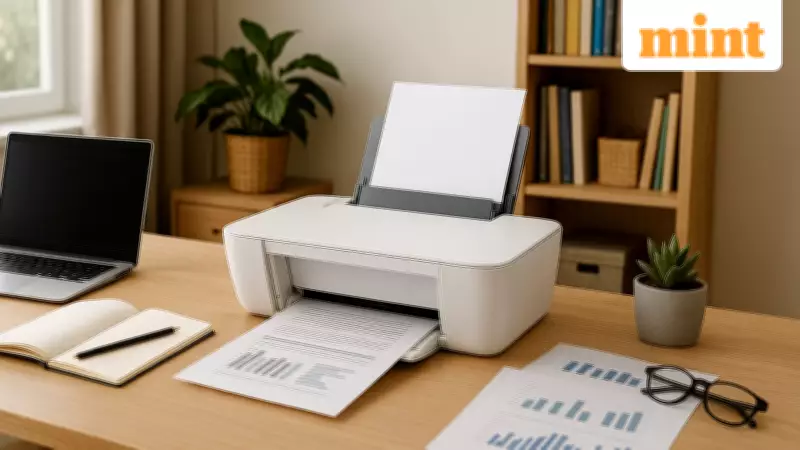
In today's digital era, mobile devices have become indispensable tools for work, education, and daily task management. This fundamental shift has prompted printing technology to evolve significantly, adapting to the needs of users who increasingly rely on smartphones and tablets. The emergence of printers with mobile printing capabilities represents a transformative development, allowing seamless document, photo, and form printing directly from mobile devices without complex setups or intermediary computers.
How Mobile Printing Enhances Everyday Productivity
The integration of mobile printing technology has made wireless printers exceptionally practical for shared households and compact workspaces. Users can now bypass traditional computer-dependent processes, printing directly from their smartphones through dedicated apps or built-in features. This convenience extends beyond mere printing—modern multifunction devices combine printing, scanning, and copying capabilities in single units, adding substantial value for both home and office environments.
Alongside mobile printing support, contemporary printers emphasize several critical features:

- Low running costs through efficient ink usage systems
- Reliable connectivity with dual-band Wi-Fi and stable wireless performance
- Space-efficient designs suitable for modern living and working spaces
- User-friendly interfaces that simplify setup and daily operation
Top Printer Recommendations for Mobile Printing
1. Canon PIXMA E477 All-in-One Wireless Printer
The Canon PIXMA E477 stands out as a compact wireless all-in-one solution designed specifically for home users with regular printing requirements. This versatile device supports printing, scanning, and copying functions, making it ideal for daily documents, school assignments, and occasional photo printing. Its wireless connectivity enables direct printing from smartphones and laptops, significantly reducing cable clutter in home environments.
Key Specifications:
- Connectivity: Wi-Fi
- Functions: Print, Scan, Copy
- Ink System: Ink-efficient cartridge system
Advantages: Space-saving design, easy wireless setup, reliable everyday performance
Consideration: Moderate print speeds compared to laser alternatives
2. HP Ink Advantage Ultra 4826 Multifunction Printer
Designed for everyday home printing with a strong emphasis on convenience and cost management, the HP Ink Advantage Ultra 4826 offers comprehensive functionality for modern households. This printer supports print, scan, and copy operations, making it suitable for schoolwork, document handling, and occasional photo printing. The self-reset dual-band Wi-Fi ensures stable connectivity, while the HP Smart App simplifies initial setup and ongoing mobile printing operations.
Key Specifications:
- Functions: Print, Copy, Scan
- Connectivity: Dual-band Wi-Fi
- Print Speed: 7.5 ppm (black), 5.5 ppm (colour)
Advantages: Low print-per-page cost, bundled ink value, stable wireless performance
Consideration: Limited paper input capacity for high-volume printing
3. Xerox 3020 Monochrome Laser Printer
For users prioritizing sharp text output and minimal maintenance, the Xerox 3020 monochrome laser printer offers excellent value. This device supports printing and copying functions, making it particularly suitable for document-heavy office environments. Wireless connectivity allows printing from multiple devices without cable constraints, while laser technology ensures crisp text quality and faster output compared to traditional inkjet printers.
Key Specifications:
- Print Technology: Laser
- Colour Output: Monochrome
- Functions: Print, Copy
Advantages: Faster printing speeds, low maintenance requirements, sharp text quality
Consideration: Limited to monochrome document printing

4. Canon PIXMA MegaTank G2730 Ink Tank Printer
The Canon PIXMA MegaTank G2730 represents an innovative approach to high-volume printing with exceptionally low running costs. This ink tank printer features a refillable ink system that dramatically reduces cost per page, making it suitable for homes and offices with frequent printing needs. Supporting printing, scanning, and copying functions, it delivers consistent colour output while minimizing refill frequency through large-capacity ink tanks.
Key Specifications:
- Paper Size: A4
- Print Type: Colour inkjet
- Functions: Print, Scan, Copy
Advantages: High page yield, economical operation, reliable colour output
Consideration: Manual duplex printing capability
5. Brother DCP-T535DW Ink Tank Printer
The Brother DCP-T535DW combines wireless convenience with economical ink tank technology for home offices and small businesses. This multifunction device supports printing, scanning, and copying operations, featuring automatic duplex printing to reduce paper consumption. Wi-Fi connectivity enables easy mobile printing, while the ink tank system ensures low running costs without compromising print quality.
Key Specifications:
- Connectivity: Wi-Fi
- Functions: Print, Scan, Copy
- Duplex Printing: Automatic
Advantages: Automatic duplex printing, wireless connectivity, economical ink usage
Consideration: Higher initial investment compared to cartridge-based models
Essential Considerations for Mobile Printer Selection
When selecting a printer with mobile printing capabilities, several factors warrant careful consideration:
- Mobile Printing Support: Ensure compatibility with popular standards like AirPrint, Mopria, or manufacturer-specific apps
- Connectivity Options: Look for dual-band Wi-Fi, Bluetooth, or Wi-Fi Direct for reliable wireless performance
- Multifunction Capability: Print, scan, and copy functions increase versatility for diverse needs
- Print Speed and Quality: Consider pages per minute (ppm) and resolution for efficiency and output clarity
- Running Costs: Evaluate per-page expenses and cartridge yields for long-term affordability
- Paper Handling: Assess input/output capacity and supported paper sizes for workflow requirements
- Security Features: Verify authentication protocols and encryption for safe mobile printing
Mobile Printing Security and Practical Applications
Mobile printing security has evolved significantly, with most modern printers incorporating user confirmation systems and app-based authentication. When combined with encrypted Wi-Fi connections and basic network security practices, mobile printing becomes a safe option for both home and office environments. This technology particularly benefits shared households and small offices where multiple users need to print from different devices without cable dependencies.
The practical applications of mobile printing extend across various scenarios:
- Educational settings where students print assignments directly from smartphones
- Home offices requiring quick document printing without computer access
- Small businesses needing efficient workflow management
- Shared households where multiple family members print from personal devices
As mobile device dependency continues to grow, printers with mobile printing capabilities offer flexible solutions that keep everyday tasks moving smoothly. Understanding these key features and considerations helps users select printers that align with their specific usage patterns, space requirements, and budget constraints, ensuring optimal performance in today's mobile-centric world.





