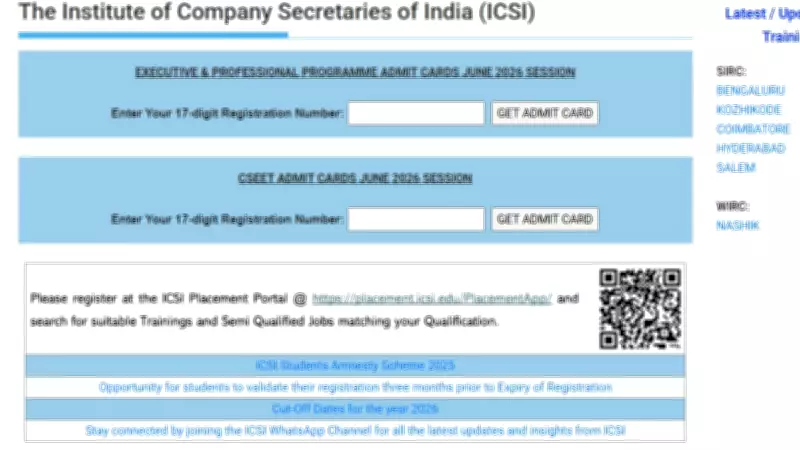
The Institute of Company Secretaries of India (ICSI) has officially released the admit card for the Company Secretary Executive Entrance Test (CSEET) 2026. Candidates who have registered for the exam can now download their hall tickets from the official website, icsi.edu.
How to Download ICSI CSEET Admit Card 2026
Follow these simple steps to download your admit card:
- Visit the official ICSI website at icsi.edu.
- Click on the 'CSEET Admit Card 2026' link available on the homepage.
- Enter your registration number and date of birth or password.
- Click on the 'Submit' button.
- Your admit card will appear on the screen. Download and take a printout for future reference.
Details Mentioned on the Admit Card
Candidates must carefully check all the details printed on the admit card, including name, photograph, signature, exam date, time, and venue. In case of any discrepancy, contact ICSI immediately.

Important Instructions for Exam Day
- Carry a printed copy of the admit card along with a valid photo ID proof (Aadhaar, PAN, Voter ID, etc.).
- Reach the exam center at least 30 minutes before the scheduled time.
- Follow all COVID-19 protocols if applicable.
- Electronic devices, including mobile phones, are strictly prohibited inside the exam hall.
The CSEET 2026 exam is scheduled to be held on multiple dates in June 2026. Candidates are advised to regularly check the official website for any updates or changes in the exam schedule.
For further queries, candidates can contact the ICSI helpline or visit the nearest ICSI regional office.