GTU Winter Session Examination Results Announced for Multiple Programs
Gujarat Technological University (GTU) has officially released the results for its Winter session examinations, covering a comprehensive range of undergraduate, postgraduate, and diploma programs. The results are now accessible through the university's official website, providing students with their performance outcomes from the December examination period.
Comprehensive Result Coverage Across Academic Programs
The university has declared examination results for numerous courses, including Bachelor of Engineering (BE), Master of Computer Applications (MCA), and Doctor of Pharmacy (PharmD). Additionally, results have been published for various diploma and professional programs such as PDDDM, BS, PDDC, PR, DV, BV, BH, BI, IM, BPH, CS, BA, IC, DIPL, DS, and DPH among others.
This comprehensive release includes results from regular examinations, remedial tests, as well as re-check and reassessment evaluations conducted during the Winter academic session. All results have been made available in digital format, enabling candidates to conveniently download and preserve their official scorecards for future academic and professional requirements.

Online Access Procedure and Technical Considerations
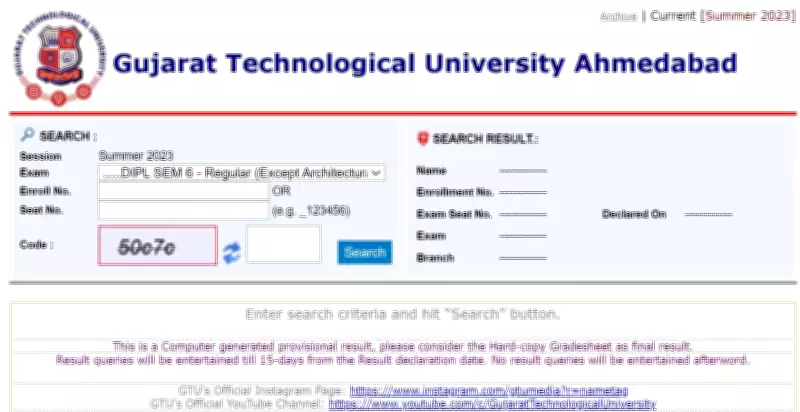
Students who participated in the December examinations can retrieve their results by visiting the official GTU portal at gtu.ac.in. The verification process requires candidates to input either their enrollment number or seat number along with the corresponding security code displayed on the website.
However, technical challenges emerged immediately following the result publication. The official website experienced temporary inaccessibility due to exceptionally high user traffic as thousands of students simultaneously attempted to check their scores. University officials have attributed this server slowdown to the overwhelming volume of concurrent access requests.
Step-by-Step Guide to Result Verification
- Navigate to the official GTU website at gtu.ac.in
- Locate and select the 'Exam' section from the main menu
- Choose the 'Result List' option from the available selections
- Select your specific academic program or course
- Enter your enrollment number or seat number as required
- Input the security code displayed on the screen
- Submit the information to view your result
- Download and save the PDF version of your scorecard
For students experiencing continued access difficulties, the university recommends utilizing the direct result page link available at https://www.gtu.ac.in/result.aspx once website stability improves. Alternatively, candidates may attempt access during off-peak hours when server traffic typically decreases.
Critical Verification Steps for Students
After successfully downloading their scorecards, students must meticulously review several key components to ensure accuracy:
- Personal identification details including name, enrollment number, and program information
- Subject-wise marks and grades for all examination components
- Overall result status indicating pass/fail outcomes
- Cumulative scores and percentage calculations
In instances where discrepancies or errors are identified, students must promptly contact the university's examination authority through official channels to initiate correction procedures. The online result serves as a provisional academic record until the university issues official physical documents and transcripts.
The digital publication of these examination results represents GTU's continued commitment to leveraging technology for enhanced academic transparency and student convenience. The university administration has emphasized that the online scorecards maintain full validity for all academic and administrative purposes until replaced by official documentation.