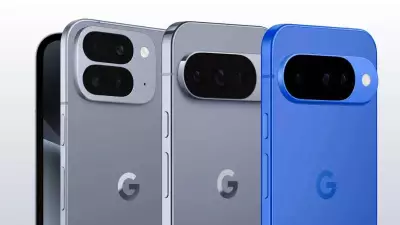
Reliance Jio has launched its 5G services in India, and users are eager to experience the next-generation network. If you own a compatible Android or iOS device, activating Jio 5G is a straightforward process. Here is a detailed guide to help you get started.
Check Device Compatibility
Before activating Jio 5G, ensure your smartphone supports 5G networks. Most modern flagship devices from brands like Samsung, OnePlus, Xiaomi, and Apple are 5G-compatible. You can check your device specifications in the settings or on the manufacturer's website.
Update Your Device Software
Make sure your device is running the latest software version. For Android, go to Settings > System > System Update. For iOS, go to Settings > General > Software Update. Install any available updates to ensure optimal 5G performance.

Insert Jio 5G SIM Card
You need a Jio SIM card that is 5G-enabled. If you have an existing Jio SIM, it may automatically be upgraded to 5G. Insert the SIM into your device. For dual-SIM phones, place the Jio SIM in the primary slot for best results.
Enable 5G Network Settings
For Android:
- Go to Settings > Network & Internet > Mobile Network.
- Select your Jio SIM and tap on Preferred Network Type.
- Choose 5G/4G/3G/2G (auto) or similar option.
For iOS:
- Go to Settings > Cellular > Cellular Data Options.
- Tap on Voice & Data and select 5G Auto or 5G On.
Once selected, your device will search for 5G networks. If you are in a 5G coverage area, you will see a 5G icon on the status bar.
Activate Jio 5G Plan
Jio offers various 5G plans. You can check and activate a plan via the MyJio app. Open the app, go to Plans, and select a 5G plan that suits your needs. Alternatively, you can dial *333# from your Jio number to get plan details.
Troubleshooting Tips
If you are unable to activate 5G, try the following:
- Restart your device.
- Ensure you are in a 5G coverage area.
- Reset network settings (Settings > System > Reset Options > Reset Wi-Fi, mobile & Bluetooth).
- Contact Jio customer care for assistance.
With Jio 5G, you can enjoy faster downloads, smoother streaming, and low latency. Follow these steps to unlock the full potential of your smartphone.