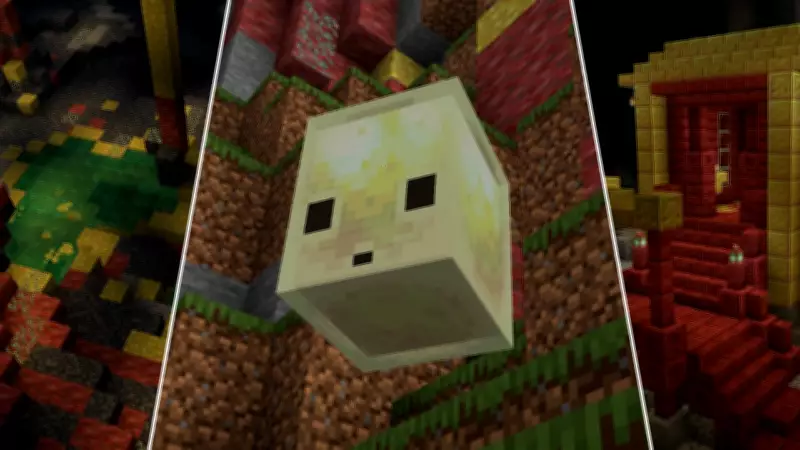
Mojang has officially released the new Minecraft Bedrock 26.20 update, introducing a host of fresh content to the game. This update is now available across multiple compatible platforms and brings the Chaos Cubed experimental features, including Sulfur Cubes and Sulfur Caves, to players worldwide.
What's New in the Update
The Bedrock 26.20 update adds the Chaos Cubed experimental toggle, which introduces Sulfur Cubes and Sulfur Caves. These new elements offer unique gameplay opportunities for adventurous players. To experience all the new additions, users can download the update on their respective devices. The process is straightforward and can be completed quickly. Below is a comprehensive guide on how to download the latest Minecraft Bedrock 26.20 update on all supported platforms.
How to Download the Minecraft Bedrock 26.20 Update
The Minecraft Bedrock 26.20 update is finally out, and you can download it on your platform. Here is a step-by-step guide for each device:

PlayStation 4 and PlayStation 5
- Locate Minecraft on your PlayStation 4 or 5, typically found in the library or frequently played section.
- Press the Options button on the controller and select the 'Check for Updates' option.
- Your PlayStation will detect the Minecraft 26.20 update, and the new version will be automatically added to your download queue.
Nintendo Switch / Switch 2
- Launch Minecraft on your Nintendo Switch. A notification regarding the new update will appear on the screen.
- Click on the pop-up to be redirected to the Nintendo eShop.
- Click the update button to proceed with the download.
Xbox One / Series X|S
- Go to the 'My Games & Apps' section on your Xbox.
- Hover over Minecraft in your game list and press the menu button.
- Select 'Manage Game & Add-Ons.'
- Find 'Updates' and wait for the files to download on your Xbox.
Windows 10/11 (PC via Minecraft Launcher)
- Open the Minecraft Launcher and select Minecraft: Bedrock Edition from the left sidebar.
- The launcher automatically checks for updates each time it is opened. If the 26.20 update is available, it will be downloaded and installed before the game launches.
- If you do not have the launcher, you must install it first.
Android and iOS (Pocket Edition)
Android:
- Open the Google Play Store and search for Minecraft.
- If the update is available, the 'Open' button will be replaced with an 'Update' button. Tap it to get the latest version.
iOS:
- Open the Apple App Store and search for Minecraft.
- An update option will appear next to the game. Click the update button to download the Minecraft 26.20 update.
This covers everything you need to know about downloading the Minecraft 26.20 update. Stay updated with the latest gaming news and enjoy the new Chaos Cubed features.