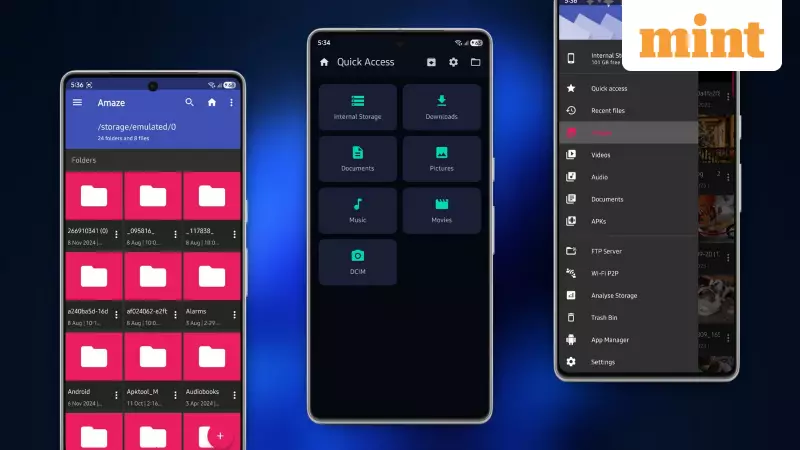
Android users are facing a new challenge. Recent updates to the operating system have introduced stricter restrictions, making it harder to access core folders like the Android directory using the default file manager. This limitation, combined with the basic functionality of most stock file apps that lack support for archives like ZIP and RAR, is pushing users to seek better alternatives. The solution? Powerful, open-source file manager applications that restore control and add advanced features without compromising privacy.
Why Your Stock Android File Manager Isn't Enough
Google's move towards tighter security in newer Android versions has a direct impact on user accessibility. Many users now find they cannot view the contents of the Android folder in the root directory, a space often needed for advanced tasks. The pre-installed file manager on most smartphones is designed for very basic operations. It typically does not support compressed files, lacks robust search, and offers no cloud storage integration. This forces you to download a separate app just to handle simple archives, creating an unnecessary hassle. For Indian users who often manage a variety of media and documents, a more capable tool is essential.
Top Open-Source Picks for Enhanced File Management
After extensive testing, five open-source file managers stand out for their power, privacy, and customisation. These apps are free, have no hidden trackers, and are developed transparently.

1. MiXplorer: The Power User's Dream
MiXplorer is a feature-packed application that caters to advanced users. It operates without any advertisements or hidden data collection. A key strength is its support for root access, allowing deep exploration of your device's system. It handles archive files including ZIP and RAR seamlessly and integrates with popular cloud services like Google Drive and Dropbox. Its tabbed interface lets you keep multiple folders open at once, and the entire look and feel can be customised to fit your workflow.
2. Amaze File Manager: Sleek and Simple
For those who prefer a clean and intuitive experience, Amaze File Manager is an excellent choice. It uses Google's Material Design for a modern, easy-to-navigate interface. The app performs quick searches across your device, allows you to bookmark important locations, and is careful about permissions to protect your privacy. It is lightweight, making it suitable for older Android devices, and focuses on reliable performance for tasks like bulk file operations.
3. AnExplorer: The Cross-Platform Performer
AnExplorer shines with its versatility across different Android platforms, including phones, tablets, Android TV, and Chromebooks. It automatically categorises your files into types like Images, Documents, and Audio for easy sorting. Beyond local storage, it supports network connections via SMB and FTP, works with USB OTG drives, and includes a root explorer. A helpful feature is its ability to show folder sizes, helping you quickly identify what is consuming your storage space.
4. Fossify File Manager: Privacy-First and Fast
Taking a minimalist approach, Fossify File Manager prioritises speed and user privacy above all else. It delivers an ad-free experience where folders load almost instantly. It handles all core file operations—copy, move, delete, share—with precision. You can get it from F-Droid, GitHub, or Google Play, ensuring you are not locked into a single app store. It’s the ideal choice for users who want a straightforward, secure, and trustworthy tool without any bloat.
5. Material Files: Clean and Trustworthy
Completing the list is Material Files, which offers a polished and clean user interface following Material Design guidelines. It focuses on easy navigation with a clear breadcrumb path and handles archive files intuitively. The app is lightweight and runs smoothly, and its open-source nature provides an added layer of trust for security-conscious users. It's perfect for everyday tasks like previewing media files and organising your download folder.

Taking Back Control of Your Android Storage
The increasing restrictions in Android's ecosystem make it more important than ever to choose the right tools. These five open-source file managers not only bypass the limitations of stock apps but also add significant functionality, all while respecting your data and privacy. By opting for an open-source solution, you gain transparency, avoid unwanted ads, and regain full control over your device's file system. For Indian Android users looking to enhance their mobile productivity, installing one of these capable managers is a highly recommended step.