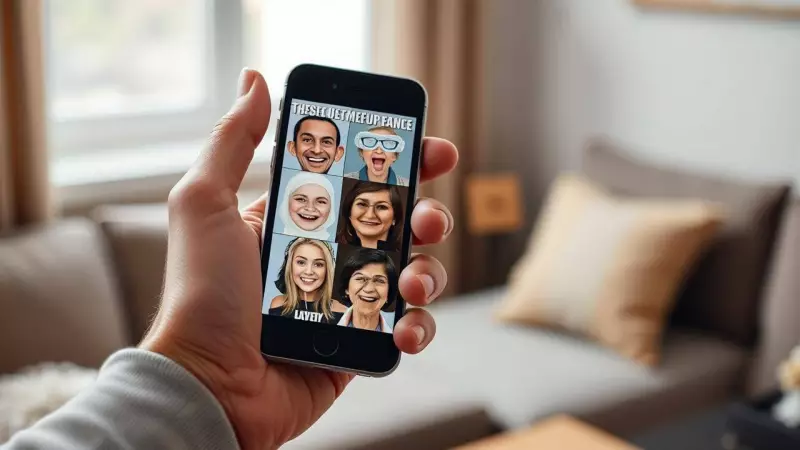
Google has unveiled an innovative new feature called "Me Meme" within its popular Google Photos application, leveraging cutting-edge generative artificial intelligence technology to transform ordinary personal photographs into humorous, shareable meme content. This creative tool is currently being rolled out exclusively to users located in the United States, marking another step in Google's expansion of AI-powered photo editing capabilities.
What is Google Photos' Me Meme Feature?
In an official announcement, Google described Me Meme as a "fun feature" designed to help users create funny, personalized images through a simple and intuitive process. The company emphasized that this tool offers a novel way to explore photo collections and generate content that's ready to be shared with friends and family across social platforms.
How Does the Me Meme Feature Work?
According to detailed instructions provided on Google's official support page, creating a personalized meme requires just two essential components:

- A Template: Users can select from various preset meme templates provided by Google Photos or upload their own funny picture to serve as the creative foundation.
- A Personal Photo: Individuals need to choose an image of themselves that they wish to incorporate into the meme format.
Step-by-Step Guide to Creating Personalized Memes
For Android smartphone users who want to experiment with this new feature, here is a comprehensive guide to navigating the Me Meme creation process:
- Open the Google Photos application on your Android device.
- Navigate to the bottom of the screen and tap on the "Create Edit" option.
- Select "Me Meme" from the available editing tools.
- If this is your first time using the feature, carefully follow the on-screen instructions that appear after the introductory screen.
- Choose your preferred template by either browsing through Google Photos' preset options or uploading a reference image from your personal library.
- Select a personal photo to feature in the meme. For optimal results, Google recommends using a prominent selfie or any image where your face is clearly visible and well-defined.
- Tap the "Generate" button to create your personalized meme.
Post-Generation Options and Features
Once your meme has been generated, Google Photos provides several useful functions:
- To save your creation locally, tap "Save."
- For immediate sharing across platforms, select the "Share" option.
- If you want to experiment with different variations while maintaining the same effect, use the "Regenerate" feature.
- Users can provide feedback to help Google improve the feature by tapping "Send feedback."
- A "Compare" function allows you to view side-by-side comparisons between your original uploaded photo and the AI-generated meme.
Important Tips and Considerations
Google has noted several important points that users should keep in mind when working with the Me Meme feature:
This functionality is still in the experimental phase, which means generated images may not perfectly match the original photograph in every detail.
For potentially better and more accurate results, try uploading a well-lit, properly focused, front-facing portrait photograph before initiating the generation process. The quality of your source image significantly impacts the final meme output.
This development represents Google's continued investment in making advanced AI tools accessible to everyday users through familiar applications. While currently limited to the US market, the Me Meme feature demonstrates how generative AI can enhance personal creativity and digital expression through simple photo manipulation tools.