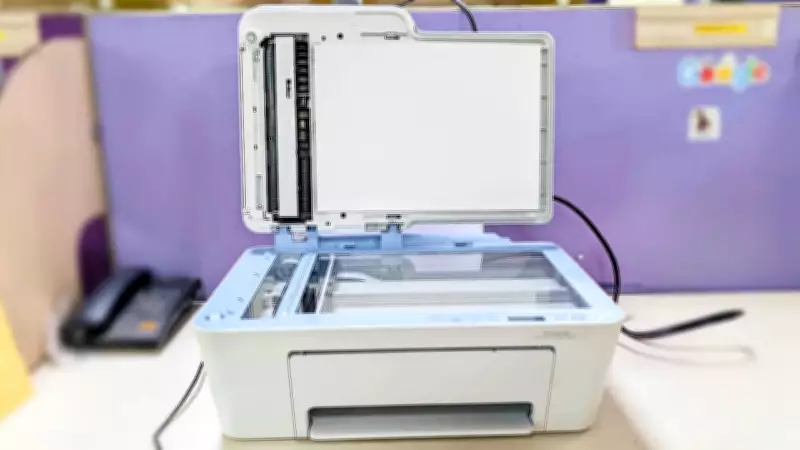
The HP DeskJet Ink Advantage 4388 All-in-One printer, priced at Rs 8,349, is designed for students, parents, and work-from-home professionals who need a reliable, no-fuss printing solution for everyday tasks such as school assignments, documents, and occasional photos. This machine does not aim to be a professional-grade solution but strives to be the right printer for your home. After putting it through its paces, here is how it holds up.
Build and Setup
The first thing you notice with the HP DeskJet 4388 is how painless the setup process is. HP has invested heavily in making the out-of-box experience straightforward, and it shows. If you are familiar with how printers are installed, getting started with the HP DeskJet 4388 is as smooth as knife goes through butter. You get the machine and a pair of cartridges that can be quickly attached to the printer. There is also a guided installation through the HP Smart app that walks first-time users through everything step by step, including connecting to Wi-Fi, installing the ink cartridges, and running a test print.
The Wi-Fi setup works over a standard home network, and HP's dual-band, self-healing Wi-Fi feature is worth highlighting. If your connection drops, the printer automatically reconnects rather than requiring you to go through the setup process again. On paper, it may appear a small thing, but in daily use, it makes a genuine difference. Wi-Fi Direct is also supported, which means you can print directly from a phone or laptop without needing to be on the same network. Just press the 'i' button on the machine, and you will get a print with all the required information, including the password to connect your phone with the machine for Wi-Fi Direct. Once set up, printing from a smartphone, tablet, or laptop is seamless. The HP Smart app is clean and functional, handling print, scan, and copy jobs without any problem.

Print Quality: Sharp Text, Decent Photos
For everyday document printing, the HP DeskJet 4388 delivers exactly what you would expect from a printer in this price range. Text documents come out sharp and clean, with good contrast and consistent ink coverage. Whether you are printing a school assignment, an office report, or a set of notes, the output looks professional and reads clearly. Black and white prints have crisp lines and no noticeable bleed on standard paper.
Colour printing is where things get more interesting. For documents with charts, graphs, or coloured text, the results are vibrant and accurate. The HP 683 Tri-colour cartridge does a solid job of reproducing everyday colours without looking washed out or oversaturated. Photo printing is a step up from what many budget printers deliver, especially when you use proper photo paper. On A4 photo paper, the colours are vivid, the detail is good, and most importantly, the output does not smudge once dry. However, the ink takes some time to settle in, so we recommend leaving the print for a few minutes before you touch the printed part. When it comes to prints, there is nothing more frustrating than a freshly printed photo that smears the moment you handle it.
Apart from getting clean and sharp prints, another important thing is the time taken to print a particular document or photo. During our review, we found that printing a photo on A4 photo paper takes around three to four minutes. For quick black and white document prints, the time is much faster, typically 7 to 12 seconds depending on the complexity of the content. HP rates the printer at 8.5 pages per minute for black and 5.5 pages per minute for colour, and real-world performance tracks reasonably close to those figures for standard jobs.
The HP DeskJet 4388's Auto Document Feeder (ADF) holds up to 35 sheets and allows you to scan or copy multi-page documents without having to manually place each page. The standard paper tray holds up to 60 sheets, which is adequate for a home printer. One thing to keep in mind if your household has heavy printing demands: photo printing in particular will eat through ink cartridges faster than document printing. For light to moderate use, the HP 683 cartridges offer good value. For anyone planning to print photos regularly in high volumes, budgeting for replacement cartridges is worth factoring into the overall cost calculation.

The HP 683 Black and Tri-colour Original Ink Advantage Cartridges are designed specifically for the Ink Advantage range. HP also claims that printed text documents stored properly can last over 150 years before fading, and photos can last over 82 years. These are long-term archival claims that are difficult to verify in a short review, but the quality of pigment and dye formulations HP is using are commendable. During our review, we did not face any clogging or failed prints.
Verdict
For the home user who wants a reliable, easy-to-use printer without spending a lot more, the HP DeskJet Ink Advantage 4388 All-in-One is good value at Rs 8,349. Setup is easy, wireless connection is rock solid, print quality is good for everyday documents and decent for photos. The sustainability credentials and claims of ink longevity are a bonus. Photo print times need a little patience, and if you are a heavy user, you will need to watch your cartridge levels. It does the job well for the student, the parent, and the work-from-home professional it was built for.