

In the fast-paced world of technology, where new gadgets and AI advancements capture headlines, a simple daily habit is silently costing Indian laptop users thousands of rupees in avoidable repair bills. Published on 29 December 2025, at 05:49 PM IST, insights from tech journalist Bharat Sharma reveal that most laptop failures are not due to age or misfortune, but a preventable enemy: heat.
The Silent Killer Inside Your Laptop
Modern laptops are engineering marvels, packing powerful processors, graphics units, batteries, and storage into slim, compact bodies. This tight packaging creates an inevitable challenge: thermal management. Manufacturers design intricate airflow paths where cool air enters through vents, heat is carried away via pipes, and fans expel hot air. When this delicate system is disrupted, the damage begins quietly, long before any catastrophic failure occurs.
The problem often starts in seemingly harmless situations. Working from bed with the laptop on a blanket, placing it on your lap during a long video call, or having it pressed against a wall on a cluttered desk—these comfortable habits are the primary culprits. Soft surfaces block intake vents completely, while obstructions prevent hot air from escaping. The initial signs are subtle: a louder fan, a warm palm rest, or a slight dip in performance. Because nothing crashes immediately, users ignore these warnings, allowing the damage to accumulate.

How Overheating Slowly Destroys Your Machine
Unlike a sudden crack or a broken hinge, the effects of chronic overheating are insidious and progressive. The sustained high temperatures trigger a cascade of internal failures:
- Battery Degradation: Heat accelerates the chemical aging of lithium-ion batteries, causing them to lose charge capacity much faster.
- Component Stress: Thermal paste, which helps transfer heat from the processor, dries out prematurely. Fans are forced to spin at higher speeds for longer, wearing out their bearings.
- Performance Throttling: To protect itself, the laptop's processor will slow down (throttle), leading to sluggish performance, which in turn can create more heat in a vicious cycle.
Over time, this sustained stress leads to component failures that are expensive to fix. In many modern thin-and-light laptops, individual parts like the motherboard or graphics chip are integrated, meaning a single failed component often requires replacing the entire assembly—a repair that can run into thousands of rupees.
The One Habit That Offers Maximum Protection
The solution is remarkably simple and costs nothing: always ensure your laptop can breathe. The most effective rule is to use your device on a flat, hard surface like a desk or table. This prevents soft materials from fabrics, cushions, or blankets from smothering the vital intake vents usually located on the bottom or sides.
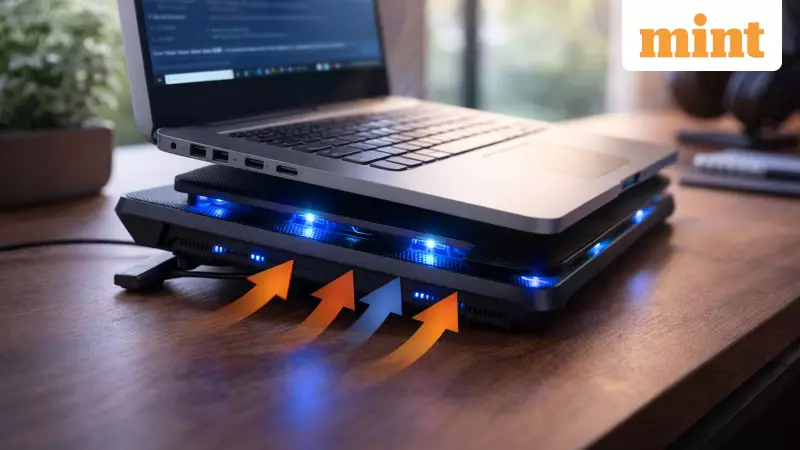
For even better thermal management, slightly elevating the rear of the laptop can significantly improve airflow. Using a basic laptop stand or a cooling pad helps not by adding dramatic cooling, but by ensuring warm air has a clear, unobstructed path to escape. This simple practice reduces the long-term thermal load on internal components, extending their functional life.
This isn't about treating your laptop with excessive caution or overhauling your entire workflow. It's about developing an awareness of your device's operating environment. By making a conscious effort to provide clear ventilation, you invest in the longevity of your machine. Laptops rarely die suddenly; they are worn down gradually, one overheated session at a time. Adopting this small, invisible daily habit can prevent the slow buildup of heat damage and save you from shelling out a small fortune on future repairs.
Staying informed is key to smart tech ownership. For all the latest updates on business news, market trends, and breaking events, follow reliable news platforms.






