

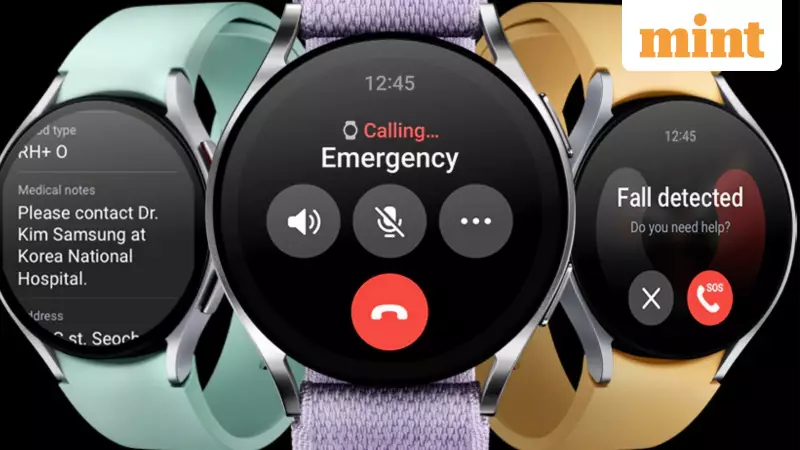
After a period of waiting, Samsung has officially begun the rollout of its latest One UI Watch 8 software update for the Galaxy Watch 6 and Galaxy Watch 6 Classic models in the United States. This move brings the previous-generation flagship watches back into the spotlight, following a delayed and staggered release that saw newer models receive attention first.
What's Inside the One UI Watch 8 Update?
The new software is built on Google's Wear OS 6 platform. Rather than introducing a complete overhaul, it focuses on refining the daily user experience for a smoother operation. Users will notice several immediate improvements upon installation.
The update delivers a selection of fresh watch faces and presents a cleaner, more organised layout for applications. Menus and animations have received subtle tweaks, making simple actions like charging the device or switching between apps feel more stable and less cluttered.

The most significant addition is the Samsung Now Bar. This feature consolidates active tasks such as timers, ongoing workouts, and other running activities into a single, easily accessible view. It eliminates the need to repeatedly swipe through multiple tiles to find what you need, a handy improvement for quick glances at your wrist.
Gesture controls have been expanded, offering more ways to interact with the watch without directly tapping the screen. Furthermore, health and fitness tracking screens are now easier to read, providing a more organised view for users who regularly monitor their sleep patterns and workout data.
Update Rollout Details and Installation Guide
The update's arrival in the US comes after it was already live in South Korea, making the delay for American users more apparent. The rollout is now expanding and includes customers on major carriers like T-Mobile and Verizon. Unlocked models are expected to receive the update slightly later in the phased process.
To manually check for the update, Galaxy Watch 6 owners should not wait for a notification. Instead, open the Galaxy Wearable app on your connected smartphone. Select your Galaxy Watch 6, navigate to Settings, and then enter the 'Software update' section. Tap 'Download and install' if the update is available. You can also check directly on the watch by going to Settings > Software update. If the update isn't showing immediately, try again after a few hours or the next day.
Software Support and Future of the Galaxy Watch 6
While Samsung promises extended software support for its smartphones, the policy for wearables is shorter. The Galaxy Watch 6 series is anticipated to receive approximately four years of software updates, which should keep it supported until around 2027. This ensures several more years of new builds and crucial security patches for users.
This period also tests how older hardware manages newer software. Each major update serves as a benchmark for the watch's performance longevity. For now, One UI Watch 8 successfully bridges the gap, helping the Galaxy Watch 6 feel current alongside Samsung's newer wearables instead of being left behind.
With Samsung actively promoting newer models like the Galaxy Watch 8 with attractive trade-in offers, some Galaxy Watch 6 owners might feel pressure to upgrade. This update effectively counters that feeling by injecting new life into the device with a refreshed interface and useful features like the Now Bar.
If you plan to keep your Galaxy Watch 6 for another year or two, installing this update is a straightforward decision. It enhances the daily experience. Even if you consider upgrading later, you'll be trading in a device running the latest software, which is always preferable to one stuck on an outdated version.






