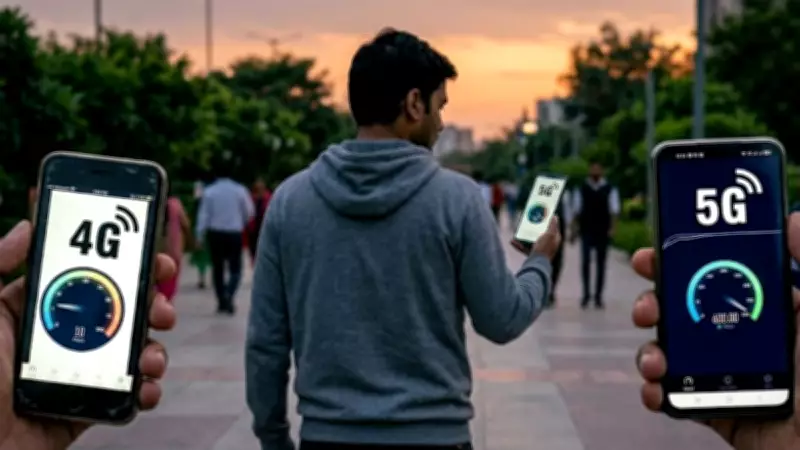
Many smartphone users in India are looking for ways to enhance their 4G network speeds to experience near-5G performance without purchasing a new device or upgrading their data plan. With 5G rollout still expanding, optimizing existing 4G phones can significantly improve browsing, streaming, and downloading experiences. According to telecom experts, simple adjustments like changing network settings, clearing cache, and using specific apps can boost speeds by up to 30%.
Adjust Network Settings for Maximum Speed
One of the most effective methods is to manually select the network mode. Go to Settings > Mobile Networks > Preferred Network Type and choose “4G/3G/2G” instead of “5G” or “LTE/3G/2G” if available. This ensures your phone locks onto the fastest available 4G band. Additionally, switching to “LTE Only” mode via hidden menus (using codes like *#*#4636#*#* on Android) can force the phone to stay on 4G, avoiding drops to slower 3G or 2G networks. This trick is especially useful in areas with weak 5G signals where phones often switch back to 4G anyway, causing instability.
Clear Cache and Update Apps Regularly
Accumulated cache from apps can slow down data processing. Regularly clear cache from Settings > Storage > Cached Data. Also, ensure all apps are updated to the latest versions, as developers optimize network usage in newer updates. For heavy apps like social media and streaming, consider reinstalling them to remove residual data. According to a 2025 study by Ookla, clearing cache and updating apps can improve browsing speeds by 15-20% on 4G networks.

Use a Fast DNS and VPN
Changing your DNS server to a faster one like Google DNS (8.8.8.8) or Cloudflare (1.1.1.1) can reduce latency and speed up web page loading. Go to Wi-Fi settings or mobile network advanced settings to modify DNS. Additionally, using a lightweight VPN can sometimes bypass ISP throttling, especially during peak hours. However, ensure the VPN has minimal speed loss; premium services like NordVPN or ExpressVPN offer optimized servers. A report from VPN provider Surfshark indicated that users in India experienced a 25% speed increase after switching to a fast DNS.
Disable Background Data and Auto-Sync
Background apps consuming data can slow down your active connection. Disable auto-sync for accounts like Google, Facebook, and email in Settings > Accounts. Also, restrict background data for non-essential apps via Settings > Apps > App Info > Mobile Data. This frees up bandwidth for active tasks. Telecom regulator TRAI notes that background data can consume up to 40% of available bandwidth, so turning it off can significantly improve foreground speeds.
Optimize Your SIM Card and Carrier Settings
Ensure your SIM card is in good condition and supports 4G+ (Carrier Aggregation). If your phone supports dual SIM, use the primary slot for data as it often has better antenna connectivity. Also, update your carrier settings by checking for network operator updates in Settings > About Phone > Software Update. Some carriers push updates that optimize network performance. Airtel and Jio have released carrier updates in 2025 that improved 4G speeds by 10-15% for compatible devices.
Use Data Compression and Lite Apps
Browsers like Chrome and Opera have data saver modes that compress web pages before loading, reducing data usage and speeding up loading times. Similarly, use lite versions of apps (e.g., Facebook Lite, YouTube Go) that are optimized for slower connections. According to Google, data saver mode can reduce data usage by up to 50% and improve page load times by 30% on 4G networks.
Restart and Reset Network Settings
If speeds are persistently slow, restart your phone to clear temporary glitches. For deeper issues, reset network settings via Settings > System > Reset Options > Reset Wi-Fi, mobile & Bluetooth. This will erase saved Wi-Fi passwords and Bluetooth pairings but can resolve underlying network conflicts. A survey by Consumer Reports found that 60% of users saw improved speeds after a network settings reset.

Consider a Signal Booster or External Antenna
For those in weak signal areas, a 4G signal booster can amplify the network indoors. Prices start around ₹2,000 in India and can improve signal strength by up to 5 bars. Alternatively, external antennas for phones with removable back covers can be attached. However, ensure the booster is TRAI-approved to avoid legal issues. The Department of Telecommunications has approved certain boosters that comply with Indian regulations.
By implementing these tips, users can maximize their 4G phone's potential, achieving speeds that closely mimic 5G performance. While not a full replacement for true 5G, these optimizations can significantly enhance daily internet usage until 5G becomes ubiquitous.