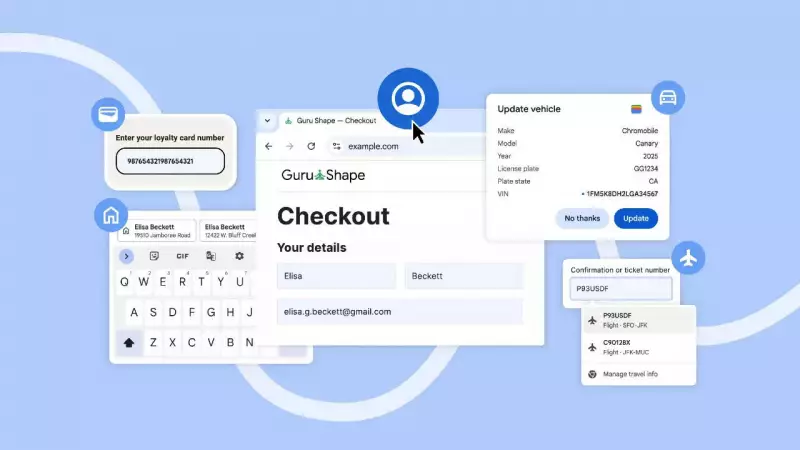
Google has rolled out a significant set of upgrades to its Chrome browser's autofill capabilities, targeting the busy online shopping season. The improvements are designed to make completing transactions and travel bookings faster and less frustrating by reducing manual data entry across both mobile and desktop platforms.
Four Key Features to Simplify Online Transactions
The tech giant is addressing common checkout hurdles with four specific enhancements. The first major update is deeper Google Account integration. For users signed in, Chrome can now automatically retrieve names and email addresses during sign-ups and logins. More importantly, it securely shares saved Home and Work addresses from the user's Google Account to instantly complete forms while shopping or ordering services. This feature is live on desktop, Android, and iOS.
The second feature is a tighter integration with Google Wallet. This move aims to eliminate the tedious manual entry of details like loyalty card numbers, travel itineraries, and vehicle information. On desktop and Android, Chrome can now autofill existing loyalty card info to help users capture reward points seamlessly. For travel, it can auto-populate trip and vehicle details. A practical example: when renting a car and asked for incoming flight information, Chrome will recognize the form field and pull the necessary data from bookings saved in Google Wallet.

Mobile and Global Enhancements
Thirdly, Chrome for Android has revamped its mobile form-filling interface. Autofill suggestions now appear in a clearer, two-line format above the keyboard, replacing the older condensed view. This expanded display provides more context for each suggestion, enabling users to make faster and more accurate selections with a single tap.
The final upgrade focuses on global address format recognition. Google has enhanced Chrome's intelligence to understand and fill addresses according to regional conventions worldwide. Recent improvements already include support for "between streets" descriptions commonly used in Mexico. Support for phonetic names in Japan is slated to arrive soon, making the browser more versatile for international users.
Impact on the User Experience
According to Google, these collective updates are a direct response to the friction users often face during critical online actions like finalizing a purchase or booking travel. By cutting down on repetitive typing and reducing the number of clicks required, the enhancements promise to save precious time, especially during high-volume periods like the holiday shopping rush. The streamlined process is expected to benefit everyday tasks from logging into websites to completing complex multi-field travel booking forms.
The rollout is timely, aligning with the peak online shopping season when every second counts at the virtual checkout counter. For Indian users increasingly reliant on digital transactions for shopping and travel, these Chrome improvements could significantly smooth out their online experience.